Endpoints
All endpoints are under https://screenshotforweb.com/api/v1 and require authentication, except GET /health.
POST /screenshot
Capture a screenshot or PDF. Returns a signed URL by default, or base64 when you pass "response": "base64" (see Responses & downloads). See All options for every parameter, and the Guides for worked examples.
curl -X POST https://screenshotforweb.com/api/v1/screenshot \
  -H "X-API-Key: sk_live_your_key" -H "Content-Type: application/json" \
  -d '{
    "url": "https://stripe.com",
    "format": "png",
    "fullPage": true,
    "blockAds": true,
    "blockCookieBanners": true
}'{
"success": true,
"data": {
"signedUrl": "https://storage.googleapis.com/...",
"expiresAt": "2026-07-14T19:05:00.000Z",
"downloadUrl": "/api/v1/assets/screenshot/eyJ...",
"storage": { "provider": "gcs", "bucket": "...", "key": "screenshots/...png" },
"metadata": { "width": 1920, "height": 1080, "format": "png", "sizeBytes": 245310, "capturedAt": "..." }
}
}GET /screenshot (and /take)
Streams the image bytes directly — ideal for browser embeds via signed requests. Options are passed as query parameters (url, format, full_page, width, height, device, block_ads, block_cookies, dark_mode, selector).
https://screenshotforweb.com/api/v1/screenshot?url=https://example.com&format=png&full_page=true&access_key=<id>&signature=<hmac>POST /screenshot/download
Same options as POST /screenshot, but returns the raw image as a file attachment.
curl -X POST https://screenshotforweb.com/api/v1/screenshot/download \
  -H "X-API-Key: sk_live_your_key" -H "Content-Type: application/json" \
  -d '{"url":"https://example.com","format":"png"}' --output shot.png
POST /screenshot/async
Accepts the job and returns immediately; the result is delivered to your webhookUrl when ready. Add webhookSecret to receive an X-Webhook-Signature: sha256=… header for verification.
{ "url": "https://example.com", "format": "png", "webhookUrl": "https://you.com/hook", "webhookSecret": "whsec_..." }
// -> { "success": true, "data": { "jobId": "job_...", "status": "queued" } }{
"jobId": "job_...",
"status": "completed",
"data": { "signedUrl": "https://...", "downloadUrl": "/api/v1/assets/screenshot/...", "metadata": { ... } }
}Batch — POST /batch/screenshots
Queue up to 100 URLs at once (charges one unit per URL). options apply to every URL; priority may be high, normal, or low. Returns a job you poll.
curl -X POST https://screenshotforweb.com/api/v1/batch/screenshots \
  -H "X-API-Key: sk_live_your_key" -H "Content-Type: application/json" \
  -d '{
    "urls": ["https://a.com", "https://b.com"],
    "options": { "format": "jpeg", "quality": 90, "fullPage": true },
    "priority": "high"
  }'
// -> 202 { "success": true, "data": { "jobId": "...", "status": "queued", "progress": {...} } }
Then poll and collect results:
GET  https://screenshotforweb.com/api/v1/batch/jobs/{jobId}              # status + progress
GET  https://screenshotforweb.com/api/v1/batch/jobs/{jobId}/results      # signed URL per item
GET  https://screenshotforweb.com/api/v1/batch/jobs/{jobId}/download/{itemId}   # 302 -> image
GET  https://screenshotforweb.com/api/v1/batch/jobs/{jobId}/download-all        # 302 -> zip
GET  https://screenshotforweb.com/api/v1/batch/jobs                      # list your jobs
DELETE https://screenshotforweb.com/api/v1/batch/jobs/{jobId}            # cancel
Web archive — POST /web-archive/screenshots
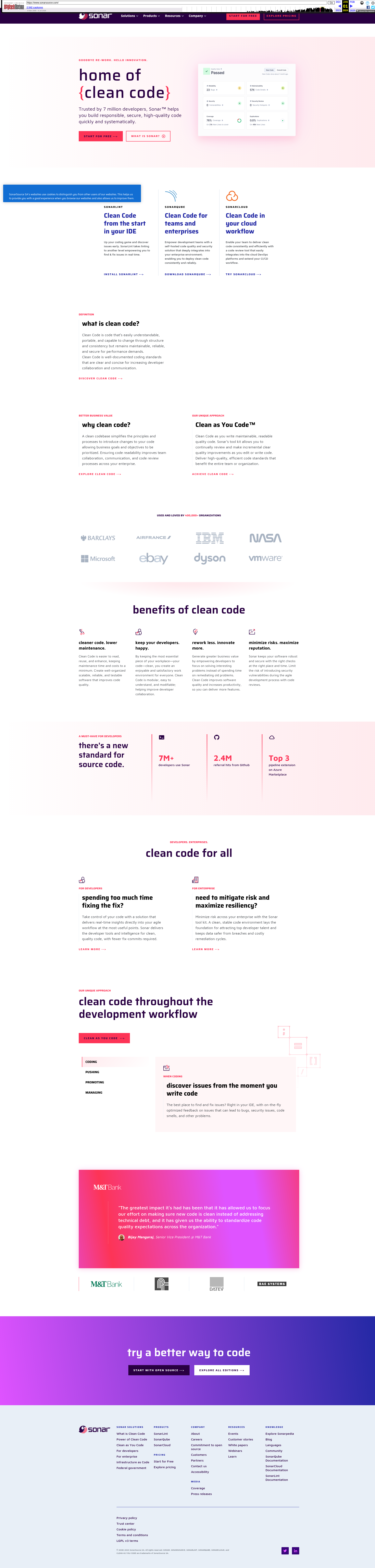
Capture how a site looked over time from the Wayback Machine (charges one unit per period).response may be json (signed URLs), base64, or zip.
| Parameter | Default | Description |
|---|---|---|
url | — | Target page. The path is kept, so a subpage returns its own history; the query string and fragment are dropped. |
timeScale | year | year or month. |
periodsBack | — | Number of periods to capture (max 20 years / 36 months). yearsBack is an alias. |
includeCurrent | true | Also capture the current live page. |
format / fullPage / forceRefresh | png / true / false | As for a normal screenshot. |
curl -X POST https://screenshotforweb.com/api/v1/web-archive/screenshots \
  -H "X-API-Key: sk_live_your_key" -H "Content-Type: application/json" \
  -d '{ "url": "https://sonarsource.com", "timeScale": "year", "periodsBack": 3, "format": "png" }'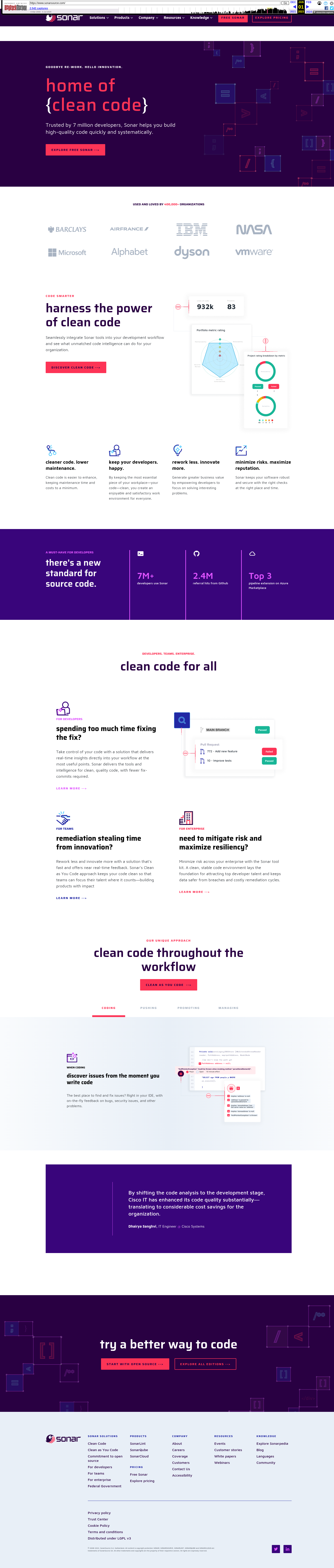

For long jobs, use the async variant:
POST https://screenshotforweb.com/api/v1/web-archive/jobs            # -> { jobId }
GET  https://screenshotforweb.com/api/v1/web-archive/jobs/{jobId}            # status
GET  https://screenshotforweb.com/api/v1/web-archive/jobs/{jobId}/results    # signed URLs per period
GET  https://screenshotforweb.com/api/v1/web-archive/jobs/{jobId}/download-all
DELETE https://screenshotforweb.com/api/v1/web-archive/jobs/{jobId}          # cancel
GET /usage
Returns your current plan, usage, and reset time.
curl https://screenshotforweb.com/api/v1/usage -H "X-API-Key: sk_live_your_key"
// -> { "success": true, "data": { "tier": "pro", "used": 1234, "limit": 10000, "remaining": 8766, "resetAt": "..." } }