Free website screenshot tools
Three ways to capture a web page, running on the same engine as our API, and a way to find a page's old versions. No account and no watermark: paste a link and download the image, up to 20 captures a day.
Website screenshot
The first screen of any site at desktop, laptop, tablet or phone size, without banners or ads.
Open the tool
Full-page screenshot
An entire web page, header to footer, as one tall image.
Open the tool
Scrolling screenshot
A slow scroll through pages that load as you go, then one image of everything that loaded.
Open the tool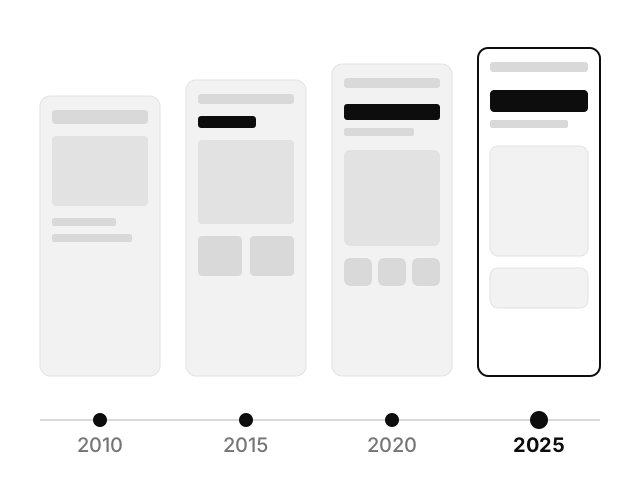
Website history
Every year the Wayback Machine kept a copy of a page, with a link to each one.
Open the tool
Which one do you need?
- What a visitor sees first, on a given device
- The website screenshot captures the first screen at desktop, laptop, tablet or phone size. It is the quickest, and the right picture for a link preview, a portfolio or a bug report.
- The whole page, as one image
- The full-page screenshot scrolls to the bottom so images load, then captures the full height. Use it for design reviews, archives and anything you want to read end to end.
- A page that came out with blanks
- The scrolling screenshot walks the page more slowly, for sites whose images and sections only appear as you scroll.
- How the page looked years ago
- The website history tool lists the copies the Wayback Machine kept, one per year, so you can open the version you need.
What every tool does
- Renders in Chrome. Pages are opened in a real browser on our servers, so they look as they do for visitors.
- Clears the clutter. Cookie banners, pop-ups, ads and chat widgets are removed first, each one optional.
- Four devices. Desktop, laptop, iPad Pro and iPhone 14 Pro, each with its real screen size and pixel density.
- Keeps no copies. The image goes straight to your browser and isn't stored. Our server logs record the page's address and your IP address and browser (and your options, if a capture fails), to stop abuse and fix faults.
The same captures, from your own code
Every tool here is a few options on one API call. Automate them for any number of pages, with PDF, dark mode, batches and change monitoring on paid plans. The free plan includes 20 screenshots a month.
Request
curl -X POST https://screenshotforweb.com/api/v1/screenshot \
  -H "X-API-Key: YOUR_API_KEY" \
  -H "Content-Type: application/json" \
  -d '{ "url": "https://example.com", "fullPage": true, "format": "webp" }'