See old versions of a website
Find the copies the Internet Archive's Wayback Machine has kept of a web page, year by year, and open the ones you need. Free, with no account. To turn them into screenshots, the API can capture one copy per year or per month.
How to see old versions in the Wayback Machine
The tool above gives you one copy per year. To browse every copy, use the Wayback Machine itself. These steps follow the Internet Archive's own help pages.
- 1
Look up the address
Go to web.archive.org, type the site or page address and press Browse History. - 2
Pick a year, then a day
A timeline shows the years with copies. Choose a year, and the calendar below marks the days the page was captured. - 3
Prefer the blue circles
Blue means the page loaded normally. Green is a redirect, orange an error like 404, red a server error. - 4
Read the date in the address
Every copy's address holds its capture time as year, month, day, hour, minute and second, such as 20150702011116.
Source: Internet Archive Help Center: Using the Wayback Machine
Why some old versions look broken
Missing pictures and styles
A copy is only as complete as the crawl that made it. Images and style sheets that weren't captured show as gaps, and the Wayback Machine may fill them from another date, or from the live site, so one page can mix several moments.
Pages built by JavaScript
Content that a page fetches from its own server after loading often fails to replay, because that server is no longer answering for the old page. Simple HTML archives best.
Pages that were never archived
Pages behind a login, pages no crawler found a link to, and sites that blocked the crawler or asked to be excluded have no copies. A deep page is archived far less often than a home page.
Other places to find old versions
archive.today
People save pages to archive.today (also at archive.ph) on demand, so it often has copies of news articles and posts at a particular moment. Type an address to see the snapshots anyone has saved of it, by date.
National web archives
Many national libraries archive their country's web, such as the UK Web Archive and the Library of Congress web archives. They can hold copies the Wayback Machine lacks.
Not Google's cache any more
Google removed the cached-page link from its results in early 2024 and turned off the cache: search operator on 24 September 2024. Its “About this result” panel points to the Wayback Machine instead. Search Engine Land has the timeline.
Screenshots of every year
On the Pro plan, website time-travel does the looking up and the capturing for you: give it an address and a number of years or months, and it returns one screenshot per period, each with the real date of the copy it used.
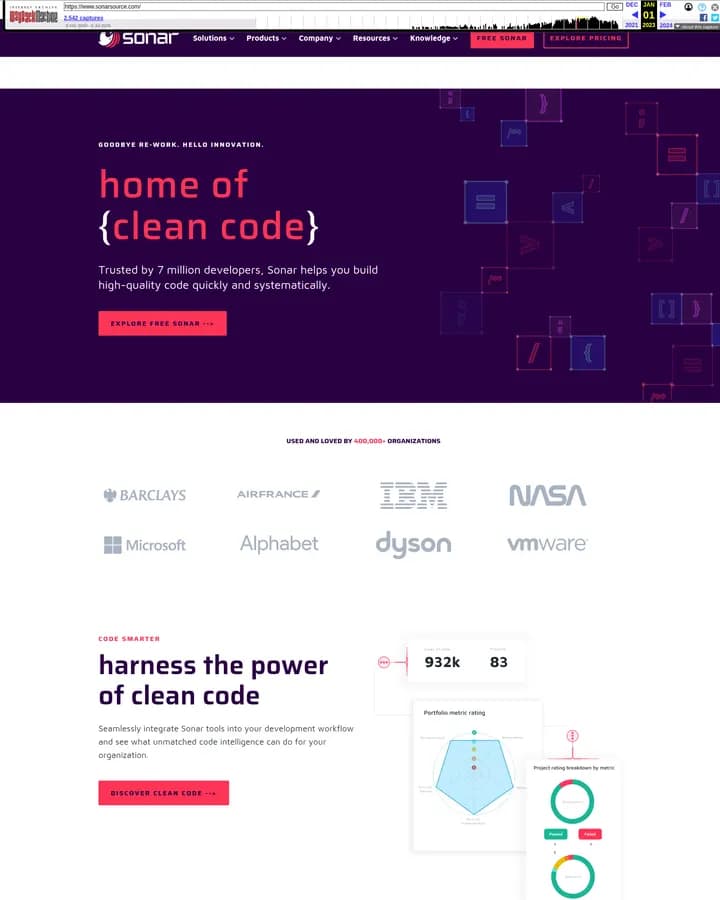
2023
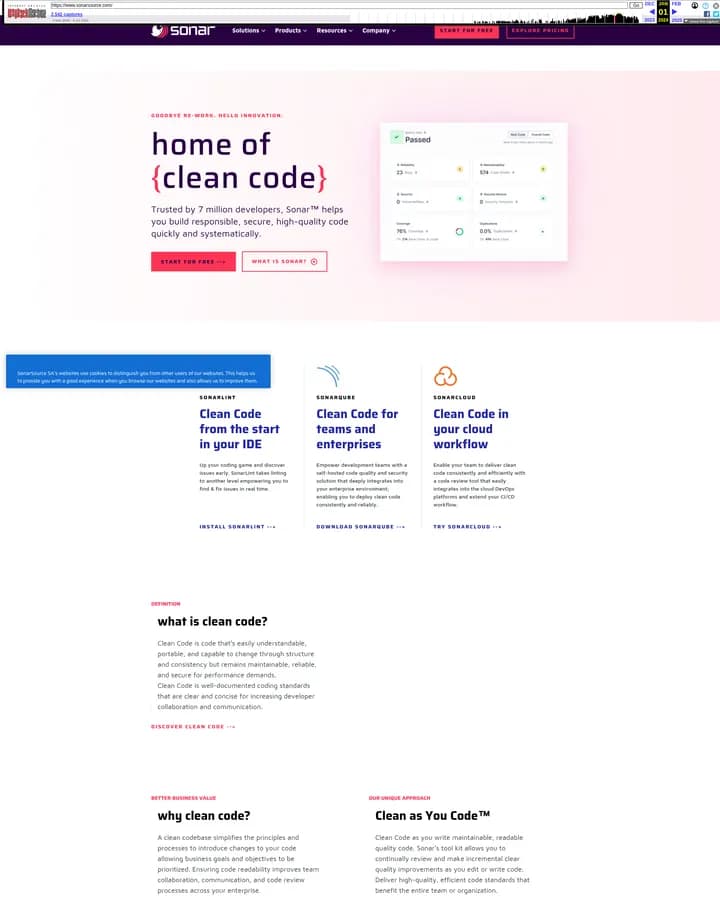
2024
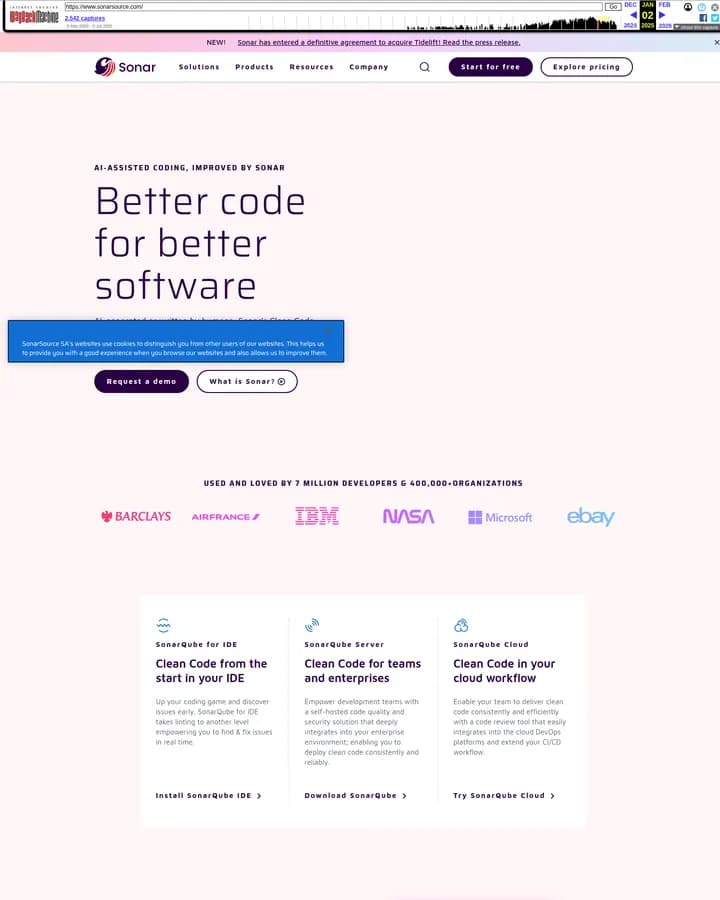
2025
sonarsource.com in three years, captured with website time-travel. The bar across the top is the Wayback Machine's, showing the date of each copy.
Questions about old versions of websites
Is the website history tool free?
Yes, with no account. Your browser asks the Internet Archive directly, so we don't see or keep the addresses you look up.
How far back can I see?
The Internet Archive has been saving web pages since the mid-1990s, and the Wayback Machine has been open to the public since October 2001. How far back a particular site goes depends on when it was first crawled.
Why does it say there are no copies?
The page may never have been crawled, may sit behind a login, or its owner may have asked for it to be excluded. Try the site's home page, which is archived far more often than pages deep inside a site.
Can I see a page that has been deleted?
If the Wayback Machine or archive.today saved it before it went, yes: look it up the same way. If nobody archived it, there is no copy to find.
Is this a replacement for the Wayback Machine?
No. Every copy comes from the Wayback Machine. The tool makes them quicker to find, a year at a time, and the API turns them into screenshots.
Can I get screenshots of every year automatically?
Yes, on the Pro plan: send the address with timeScale and periodsBack to the web-archive endpoint. It accepts up to 20 years or 36 months, and each period counts as one screenshot. See the website time-travel guide.
Screenshot a site's history with one request
The API finds the copy closest to the middle of each year or month, checks that the archive served the right page, and captures it, skipping periods with no copy rather than filling them from another time. Available on the Pro plan.
curl -X POST https://screenshotforweb.com/api/v1/web-archive/screenshots \
  -H "X-API-Key: YOUR_API_KEY" \
  -H "Content-Type: application/json" \
  -d '{
    "url": "https://example.com",
    "timeScale": "year",
    "periodsBack": 10,
    "format": "png"
  }'