A full-page screenshot shows the whole page, but the browser only loads what it thinks a reader is about to see. Images marked loading="lazy", and images that scripts swap in when they scroll into view, are never requested if nothing scrolls. The capture then has grey boxes, empty frames or plain background where the pictures should be.
We measured how much goes missing on a test page and on five real home pages, then timed two fixes: switching native lazy images to eager (under 1.5 seconds on the pages we tried, but it only fixes one technique) and scrolling through the page first (slower, but it catches everything). Infinite scroll needs one more step, covered at the end.
Why the images are missing
There are three common ways a page delays its images, and they fail in a capture for slightly different reasons.
- Native lazy loading. The HTML Standard lets
img and iframe elements carry loading="lazy", which means "defer fetching" until the element is near the viewport. The spec leaves the distance, the "lazy load scroll margin", to the browser. Google's web.dev article gives Chrome's values as 1,250 px on fast connections and 2,500 px on 3G or slower, and says they can't be changed through any API.
- IntersectionObserver with
data-src. The image has no real src; the address sits in a data-src attribute and a script copies it over when an IntersectionObserver reports the element entering the viewport. The observer's rootMargin widens that area so loading starts a little early, as MDN describes.
- Scroll listeners. Older scripts check element positions on every
scroll event. No scroll event, no image.
A fourth pattern looks the same in a screenshot: the image loads eagerly but stays at opacity: 0 until a script fades it in on view.
The capture itself doesn't scroll. Puppeteer's fullPage: true defaults to captureBeyondViewport: true, which asks Chrome to paint the whole document without changing the 1280×800 viewport the page thinks it has. To the page, the reader never left the top.
What we measured on a test page
We built a page with four sections, one per technique above, each with six 600×300 images. A small Node server answered every image request after 300 ms, like a real network. We loaded it in a 1280×800 viewport, captured it four ways, and checked the centre pixel of each image in the PNG to see whether it actually appeared. We ran the whole set twice and got the same counts both times.
| Method | loading="lazy" | IntersectionObserver | Scroll listener | Fade-in | Time |
|---|
fullPage: true (default) | 4 of 6 | 0 of 6 | 0 of 6 | 0 of 6 | 0.2 s |
fullPage + captureBeyondViewport: false | 4 of 6 | 0 of 6 | 0 of 6 | 0 of 6 | 0.2 s |
| Viewport resized to page height, wait for network | 6 of 6 | 6 of 6 | 0 of 6 | 6 of 6 | 1.4 s |
Scroll pass, then fullPage: true | 6 of 6 | 6 of 6 | 6 of 6 | 6 of 6 | 5.8 s |
Three things stand out.
- The native images that loaded were the ones near the top. The four that appeared started 135, 735, 1,335 and 1,935 px from the top; the two that didn't started at 2,535 and 3,135 px. With an 800 px viewport, that is consistent with the 1,250 px margin web.dev describes.
captureBeyondViewport: false triggers loading but doesn't wait for it. Puppeteer's source shows that this option resizes the viewport to the page's full height, takes the screenshot, then puts the viewport back. Our server saw 16 image requests instead of 10, but the capture had already been taken before any of them answered.- Only real scrolling satisfies a scroll listener. Resizing the viewport changes what intersects it, so IntersectionObserver fires, but no
scroll event is sent.
Playwright 1.64.1 behaved the same on this page: fullPage: true showed 4, 0, 0 and 0 images, and a mouse-wheel scroll pass before the capture showed all 24.
What we measured on five real home pages
We captured each home page with Puppeteer twice, once straight after load (waitUntil: 'networkidle2') and once after scrolling through it in half-screen steps, 150 ms apart. We counted content images (at least 100×60 CSS pixels) that hadn't finished loading, counting a 1×1 placeholder as not loaded.
| Page | Technique | Not loaded, plain capture | Not loaded, after scroll pass | PNG size, plain → scrolled |
|---|
| The Verge | loading="lazy" on 39 of 40 | 37 of 40 | 0 of 40 | 3.5 MB → 6.3 MB |
| GitHub blog | loading="lazy" on 28 of 28 | 19 of 28 | 0 of 28 | 1.5 MB → 2.5 MB |
| BBC News | loading="lazy" on 78 of 81 | 58 of 81 | 13 of 81 | 2.9 MB → 5.7 MB |
| ArchDaily | data-src on 102 of 129 | 105 of 129 | 2 of 241 | 6.0 MB → 22.4 MB |
| National Geographic | CSS background images | not countable | not countable | 1.0 MB → 7.6 MB |
On BBC News, 13 images were still missing after the scroll pass; we didn't find out why. National Geographic draws most of its photos as CSS backgrounds (122 elements had a background-image), so an img count says nothing there, but the plain capture had empty frames and long stretches of black, and its file was a seventh of the size of the scrolled one. ArchDaily's numbers come with a catch, covered below.
Fix 1: make native lazy images eager
The HTML Standard says that setting an image's loading attribute to eager resumes a deferred load. So for pages that use loading="lazy", you don't need to scroll at all.

We timed this against a scroll pass on the same pages:
| Page | Eager: not loaded | Eager: time | Scroll pass: not loaded | Scroll pass: time |
|---|
| The Verge | 0 of 41 | 0.7 s | 0 of 41 | 14.9 s |
| GitHub blog | 1 of 35 | 1.4 s | 0 of 35 | 8.5 s |
| ArchDaily | 105 of 137 | 0.6 s | see below | 13.2 s |
| Our test page | 12 of 24 | 0.8 s | 0 of 24 | 6.1 s |
On pages that use the native attribute, it was 6 to 21 times faster. On ArchDaily and on the script-driven half of our test page it did nothing, because those images have no loading attribute to change.
Fix 2: scroll through the page
For everything else, scroll. This is the helper we ran for all the tests above, with both fixes in one file:
async function eagerImages(page) {
await page.evaluate(() => {
for (const img of document.querySelectorAll('img[loading="lazy"]')) img.loading = 'eager';
});
await page.waitForNetworkIdle({ idleTime: 500, timeout: 15000 }).catch(() => {});
}
async function scrollThrough(page, { delay = 150 } = {}) {
await page.evaluate(async (delay) => {
const end = document.documentElement.scrollHeight;
for (let y = 0; y < end; y += window.innerHeight / 2) {
window.scrollTo(0, y);
await new Promise((resolve) => setTimeout(resolve, delay));
}
window.scrollTo(0, 0);
}, delay);
await page.waitForNetworkIdle({ idleTime: 500, timeout: 15000 }).catch(() => {});
await page.evaluate(() => Promise.race([
Promise.all([...document.images].filter((img) => !img.complete)
.map((img) => new Promise((resolve) => {
img.addEventListener('load', resolve, { once: true });
img.addEventListener('error', resolve, { once: true });
}))),
new Promise((resolve) => setTimeout(resolve, 5000)),
]));
}
module.exports = { eagerImages, scrollThrough };
And a capture script that uses both, cheap fix first:
const puppeteer = require('puppeteer-core');
const { eagerImages, scrollThrough } = require('./fixes');
(async () => {
const browser = await puppeteer.launch({
executablePath: process.env.CHROME_PATH,
args: ['--disable-gpu'],
});
const page = await browser.newPage();
await page.setViewport({ width: 1280, height: 800 });
await page.goto(process.argv[2], { waitUntil: 'networkidle2' });
await eagerImages(page);
await scrollThrough(page);
await page.screenshot({ path: 'page.png', fullPage: true });
await browser.close();
})();
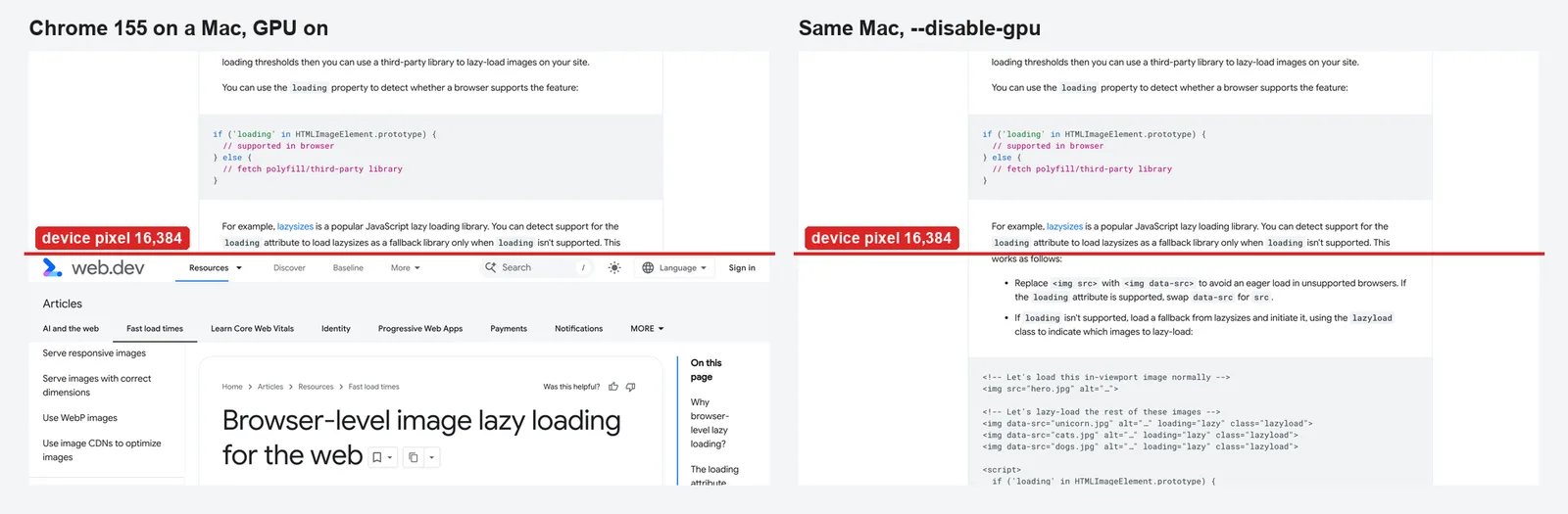
Run against the GitHub blog, it wrote a 1280×7637 PNG with every image in place, in 6.6 seconds including browser start-up. Half-screen steps keep each element inside the viewport for at least one pause; if a site still misses images, raise delay before you shrink the step. The --disable-gpu flag is there because tall captures on a Mac with the GPU on can repeat the top of the page; we covered that in our article on the WebP height limit.
Infinite scroll: capture the height you started with
ArchDaily appends more articles when you reach the bottom. Scrolling to the end, even with the loop capped at the starting height as above, made the page grow from 20,158 px to 38,614 px as it loaded the next batch, and 80 of the 230 images were missing at capture time.
The fix is to measure the height before the scroll pass and capture only that much, using a clip instead of fullPage:
const startHeight = await page.evaluate(() => document.documentElement.scrollHeight);
await scrollThrough(page);
await page.screenshot({ path: 'page.png', clip: { x: 0, y: 0, width: 1280, height: startHeight } });
That gave a 1280×20,158 capture, and only 2 of the 135 images inside that height were missing. Keep the clip for pages you know scroll forever: on other pages, images without set dimensions can make the page legitimately taller once they load, and a clip would cut off the bottom.
Checklist
- Switch
loading="lazy" images to eager before the capture; it costs about a second.
- Scroll through in half-screen steps with a short pause, return to the top, and wait for the network to go quiet.
- Don't rely on
captureBeyondViewport: false alone: it starts the loads, but captures before they finish.
- On infinite-scroll pages, clip to the height measured before scrolling.
- Check the result. A capture that is far smaller than you expect for its height is often a page full of empty frames.