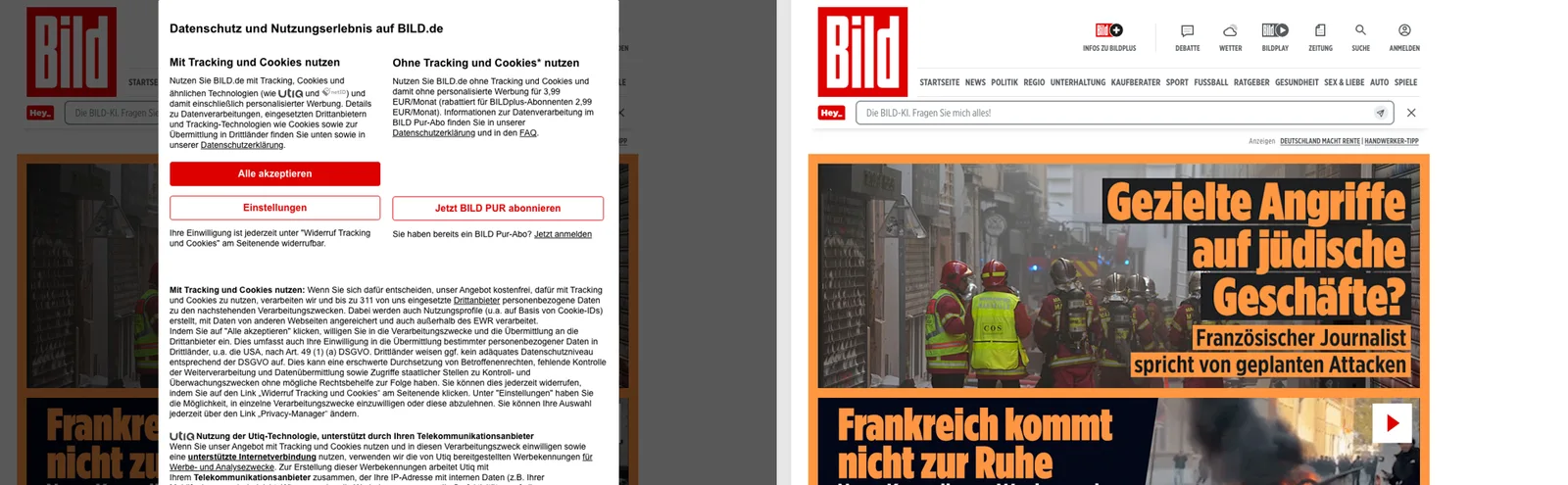
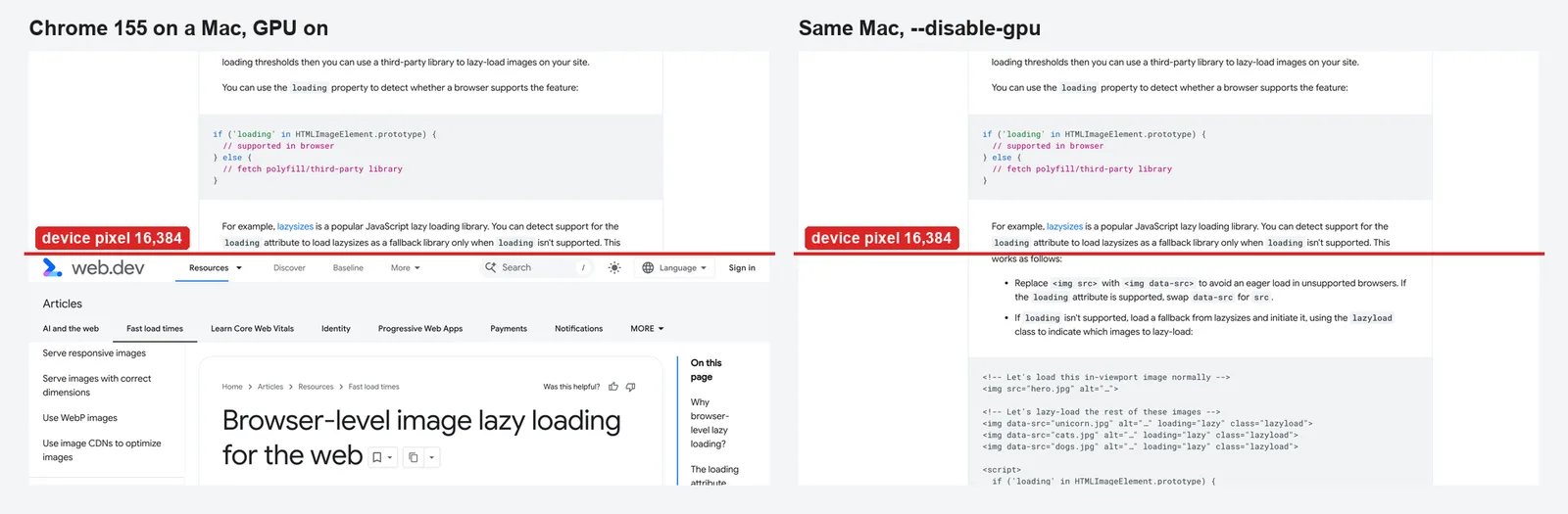
A consent banner in a screenshot is almost never what you wanted to capture. To see how hard it is to avoid, we loaded 20 popular European news and media sites in headless Chrome, recorded what each banner was built with, and tried three ways to get a clean capture: hiding the known banner containers with CSS, pressing the "reject" button, and removing anything fixed on screen that talks about consent. The short answer: a small, generic remover gave a clean page on 15 of the 16 sites that showed a banner. Hiding known containers managed 11. Pressing "reject" gave a usable page on only one of the four sites where we tried it, and 11 of the 16 put a subscription offer behind that button.
The code is below, along with what each approach got wrong.
How we tested
We ran the tests on 19 October 2026 from a UK IP address, using Puppeteer 24.11.1 with its bundled headless Chrome 138. The viewport was 1280 × 800. Each site was loaded in a fresh browser context, so no consent cookie carried over from an earlier visit. We waited 6 seconds after the load event, because consent platforms often start late, and then recorded:
- whether the page has the TCF API, and what it reports (more on that below);
- which of 18 well-known banner containers were in the DOM;
- which iframes the banner came from;
- the visible buttons on the banner's first screen.
We tried 26 sites to end up with 20. Six of them (zeit.de, leboncoin.fr, elpais.com, liberation.fr, telegraaf.nl and standaard.be) showed a "blocked" or "access temporarily restricted" page to our headless browser instead of the site. That is bot protection, not a consent banner, and we didn't try to get around it. Banners differ by country and change often, so treat these numbers as a snapshot of one day from one place.
How consent banners are built
Most of the banners came from a consent management platform, or CMP: a script that shows the banner, stores the visitor's choice and passes it to advertising partners. In Europe most ad-funded sites use IAB Europe's Transparency & Consent Framework (TCF). Its specification says every CMP must provide a JavaScript function called __tcfapi on the page, and that scripts can check for a CMP by looking for that function. Each CMP has a numeric ID, which IAB Europe publishes in its CMP list.
That gives a screenshot script something useful. A ping command returns, among other fields, cmpId and displayStatus, which the specification defines as visible (the banner is showing), hidden (not yet or no longer showing) or disabled (it won't show, for example because GDPR doesn't apply or the stored choice is still current).
Here is what the 20 sites used, matching each cmpId against IAB Europe's list and the banner's container element:
| Built with | Sites | Banner lives in |
|---|
Sourcepoint-style sp_message_container iframes (CMP IDs 6, 35 and 345) | spiegel.de, bild.de, welt.de, chip.de, faz.net, derstandard.at, aftonbladet.se | an iframe |
| A CMP ID registered to the publisher itself | lemonde.fr, corriere.it, onet.pl, nu.nl, hln.be | the page |
| Didomi | marca.com, idnes.cz, 20minutos.es | the page |
| OneTrust | irishtimes.com, ilsole24ore.com | the page |
| iubenda | repubblica.it | the page |
| AppConsent | lefigaro.fr | an iframe |
| Cookiebot (no TCF API) | dr.dk | the page |
Nineteen of the 20 sites had __tcfapi. Sixteen showed a banner to our UK browser. The four that didn't (idnes.cz, nu.nl, hln.be and 20minutos.es) all answered the ping with displayStatus: "disabled".
The ping matched what we saw on 16 of the 19 TCF sites. The three exceptions matter if you plan to rely on it. Le Monde and Corriere reported hidden while their banners were on screen, with cmpStatus still loading. Marca reported disabled, but a separate "accept and continue free, or reject and subscribe" wall covered the bottom of the page. So the ping is a good hint, not proof that the page is clean.
Approach 1: press "reject"
Refusing consent seems like the honest way to dismiss a banner, so we looked for a first-screen button that refuses. The buttons on the 16 banners fell into three groups:
| First-screen choice | Sites |
|---|
| Accept, or pay or subscribe; refusing leads to an offer | spiegel.de, bild.de, welt.de, chip.de, faz.net, derstandard.at, corriere.it, repubblica.it, ilsole24ore.com, marca.com, aftonbladet.se |
| A free way to refuse or limit tracking | lemonde.fr ("Reject all cookies"), lefigaro.fr ("Continue without accepting"), dr.dk ("Tillad udvalgte", allow selected) |
| Accept, or open settings | onet.pl, irishtimes.com |
This "consent or pay" pattern decides the outcome. Our script found a refuse button it could press on four sites. On Corriere, Repubblica and Il Sole 24 Ore the refuse button reads "Rifiuta e abbonati" (refuse and subscribe). When our script pressed it on Corriere, the page swapped one overlay for another:
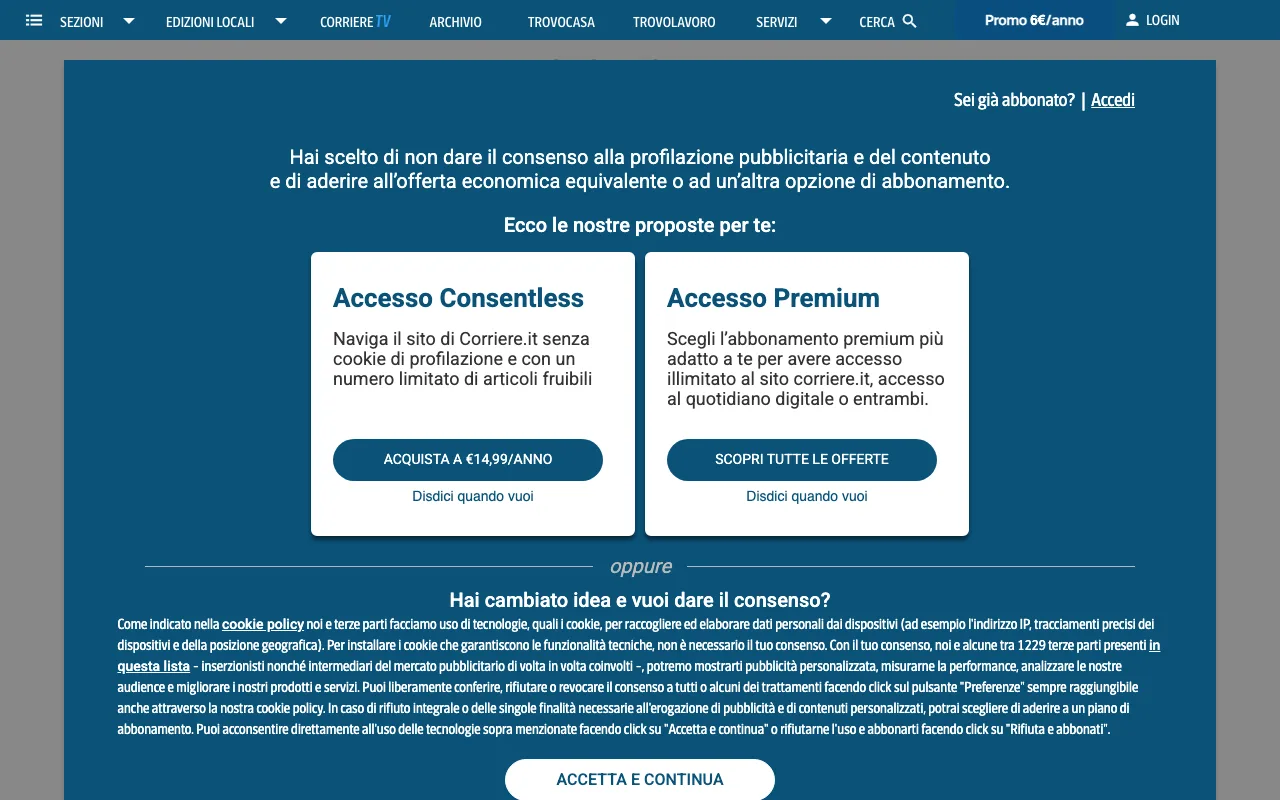
Aftonbladet's "Avvisa personanpassad reklam" (refuse personalised ads) led to a page asking whether we already subscribe. Repubblica's led to a choice of subscriptions. Of the four, only Le Monde gave a readable homepage, with a "Subscribe to help support the work of our entire newsroom" bar across the bottom.
There is a second reason not to click through banners: consent is meant to be a person's choice, and a script that presses "Accept" records a choice nobody made. Since we were only capturing the page, we preferred approaches that leave the banner unanswered.
Approach 2: hide the known containers
Most CMPs put their banner in a container with a fixed ID or class, such as #onetrust-consent-sdk or #CybotCookiebotDialog. Hiding a list of them with CSS is the approach most people reach for first. We injected one rule for 18 known selectors with Puppeteer's page.addStyleTag(), set overflow: auto on html and body to undo the scroll lock, and took the screenshot again.
That left a clean page on 11 of the 16 sites. It failed on Le Monde, Corriere, Onet and Marca, whose banners use the publisher's own markup, and on derStandard (see below). A list of selectors only covers the platforms you have already met, and it needs updating whenever a site changes provider.
Approach 3: remove what is fixed on screen and talks about consent
Banners have something in common that doesn't depend on the vendor: to stay on screen while the page scrolls, they use position: fixed or position: sticky, which MDN describes as positioning relative to the viewport. So the third approach walks the page and removes every fixed or sticky element that:
- mentions consent, cookies or privacy, in any of nine languages; or
- covers more than half the viewport and holds almost no text (the dimmed backdrop behind a dialog); or
- is an iframe covering more than 30% of the viewport (Sourcepoint and AppConsent banners).
It also reads the TCF ping first, so you can log whether the page reported a banner. This is the script, as we ran it:
const puppeteer = require("puppeteer");
function removeConsentLayers() {
const words = /cookie|consent|privacy|datenschutz|zustimm|einwillig|rgpd|gdpr|privacidad|riservatezza|samtyck|accetta|accepter|akzeptieren|souhlas|zgod/i;
const area = innerWidth * innerHeight;
const removed = [];
for (const el of document.querySelectorAll("body *")) {
if (!el.isConnected) continue;
const { position } = getComputedStyle(el);
if (position !== "fixed" && position !== "sticky") continue;
const r = el.getBoundingClientRect();
const cover = (r.width * r.height) / area;
const text = el.tagName === "IFRAME"
? `${el.src} ${el.id} ${el.title}`
: (el.innerText || "") + (el.shadowRoot ? el.shadowRoot.textContent : "");
const isConsent = words.test(text.slice(0, 5000));
const isBackdrop = cover > 0.5 && text.trim().length < 20;
const isWall = el.tagName === "IFRAME" && cover > 0.3;
if (isConsent || isBackdrop || isWall) {
removed.push(el.tagName.toLowerCase() + (el.id ? `#${el.id}` : ""));
el.remove();
}
}
for (const el of [document.documentElement, document.body]) {
el.style.setProperty("overflow", "auto", "important");
el.style.setProperty("position", "static", "important");
}
return removed;
}
function tcfPing() {
if (typeof window.__tcfapi !== "function") return Promise.resolve(null);
return new Promise((resolve) => {
setTimeout(() => resolve(null), 3000);
window.__tcfapi("ping", 2, (p) => resolve({ cmpId: p.cmpId, displayStatus: p.displayStatus }));
});
}
async function cleanCapture(browser, url, file) {
const context = await browser.createBrowserContext();
const page = await context.newPage();
await page.setViewport({ width: 1280, height: 800 });
await page.goto(url, { waitUntil: "load", timeout: 45000 });
await new Promise((r) => setTimeout(r, 5000));
const before = await page.evaluate(tcfPing);
const removed = await page.evaluate(removeConsentLayers);
await page.screenshot({ path: file });
console.log(new URL(page.url()).host, "| tcf:", JSON.stringify(before), "| removed:", removed.join(", ") || "nothing");
await context.close();
}
(async () => {
const browser = await puppeteer.launch();
for (const url of process.argv.slice(2)) {
const name = new URL(url).host.replace(/^www\./, "");
await cleanCapture(browser, url, `clean-${name}.png`);
}
await browser.close();
})();
Run it with node clean-capture.js https:. This was our output:
www.bild.de | tcf: {"cmpId":345,"displayStatus":"visible"} | removed: div, div#sp_message_container_1495530
www.irishtimes.com | tcf: {"cmpId":28,"displayStatus":"visible"} | removed: div, div#onetrust-banner-sdk, div#onetrust-pc-sdk
www.derstandard.at | tcf: {"cmpId":6,"displayStatus":"visible"} | removed: div#sp_message_container_1408697
www.dr.dk | tcf: null | removed: div#drcc-overlay
Across the 16 sites with a banner, this approach gave a clean page on 15, including the four that beat the selector list. Its failures are worth knowing:
- It removes things you might want. On aftonbladet.se it also removed an off-screen
nav#user-menu, and on welt.de an off-screen div#sidebar. Neither changed the capture, but a sticky header that happens to contain the word "privacy" would go too. Check the removed list when a capture looks wrong.
- It ignores other pop-ups. On irishtimes.com a small in-page box asking to send push notifications stayed, because it isn't about consent.
- It can't reveal what was never loaded. That is the derStandard case.
When there is no page behind the banner
derStandard.at doesn't put its banner over the homepage. It redirects the browser to a separate address, /consent/tcf/, whose background is a blurred picture of a front page. Removing the dialog there leaves exactly that:

No overlay removal can fix this, because the articles are never sent until a choice is made. For such sites the options are a subscriber account, or accepting in a throwaway browser context when you have a legitimate reason to do so, which brings back the problem of recording a choice no person made. Checking page.url() after loading tells you that you landed somewhere else.
What to use
- Use a fresh browser context for every capture. Puppeteer's
createBrowserContext() doesn't share cookies or cache with other contexts, so one capture's consent state never leaks into the next.
- Wait for the banner before removing it. CMPs load after the page. Our captures waited 5 to 6 seconds; Le Monde and Corriere were still reporting
cmpStatus: "loading" at that point while their banners were visible.
- Remove by behaviour, not by vendor. A fixed-position, consent-related element test caught 15 of 16 banners; a selector list caught 11.
- Log the TCF ping and the final URL. A
visible status after removal, or a URL you didn't ask for, means the capture needs a look.
- Don't press "reject" as a cleaning step. 11 of these 16 sites offered no free refusal on the first screen, and refusing led to a subscription offer, not the page.
If you'd rather not maintain this yourself, our screenshot API has a block_cookies parameter. It wasn't part of this test, so the numbers above describe only the scripts shown here.